Telephony Integration
FreePBX, VoIP & CRM Integration
Connect your phone system with your CRM, ERP, helpdesk and business software.
We integrate FreePBX, Asterisk and VoIP systems with the software your business already uses, enabling click-to-call, caller identification, call logging, recordings, contact synchronisation and automated workflows.
FreePBX • Asterisk • SIP • CRM • ERP • Helpdesk • REST API • Webhooks
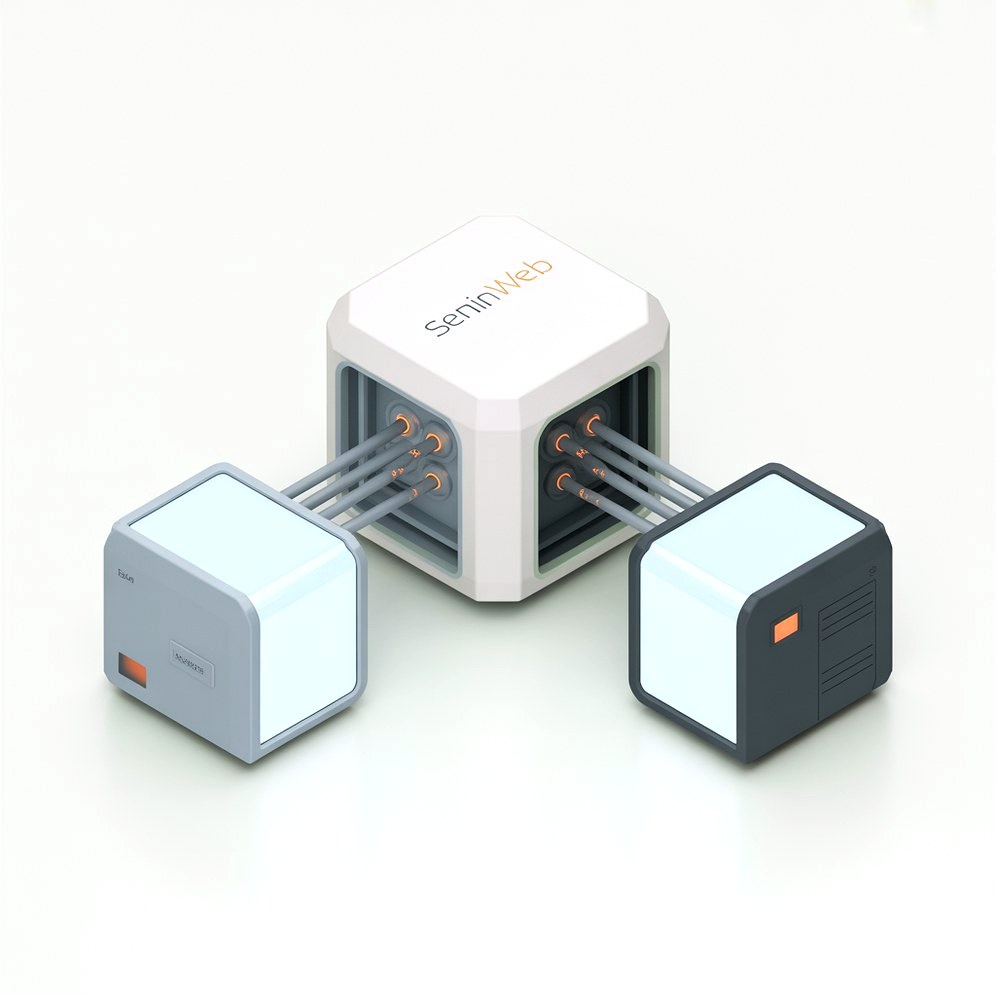
Connect FreePBX With the Software Your Business Uses
A phone system on its own is a cost. Connected to the software your team already works in, it becomes a source of customer data. These are the categories we are asked to connect most often.
CRM Systems
Connect FreePBX with CRM platforms so incoming and outgoing calls become part of the customer record.
- Salesforce
- HubSpot
- Zoho CRM
- Pipedrive
- SuiteCRM
- SugarCRM
- Microsoft Dynamics
- Custom CRM
Helpdesk & Support
Connect calls with support tickets and customer service workflows.
- Zendesk
- Freshdesk
- ConnectWise
- Jira Service Management
- Custom helpdesk systems
ERP & Business Management
Connect telephony with the systems that actually run your operations.
- Odoo
- ERPNext
- Microsoft Dynamics
- SAP
- Custom ERP systems
Communication & Collaboration
Push phone events into the tools your team already works in.
- Slack
- Microsoft Teams
- Email systems
- Internal notification systems
Scheduling & Booking
Connect calls with calendars and appointment workflows.
- Google Calendar
- Microsoft 365
- Booking systems
- Appointment software
- Custom scheduling systems
Custom Applications
If your software exposes an API, a webhook or another integration interface, we can build a custom connection between it and FreePBX or Asterisk.
- REST APIs
- Webhooks
- Internal applications
- Legacy systems with an API


FreePBX CRM Integration
Your PBX already knows who called, when, for how long and who answered. Left inside the phone system that information never reaches the people who need it. We connect FreePBX and Asterisk to your CRM so sales and support work from the same customer record.
Click to dial from the contact record, a screen pop the moment a call connects showing who is calling and what is open on their account, and call outcomes and recordings written back without anyone typing them in. Built against Asterisk AMI or ARI on a self-hosted PBX, or Twilio and Telnyx where you are already in the cloud.
It works in the other direction too. A known customer with an open ticket does not need to sit through the main menu. If you want your existing installation handled end to end, see our FreePBX integration service.
- Click to dial, screen pop and automatic call logging in HubSpot, Zoho, Pipedrive or Salesforce
- Inbound routing driven by CRM data, so returning callers skip the menu
- Call recordings and voicemail linked to the right contact, ticket or deal
- Works with a self-hosted FreePBX box, a cloud PBX, or a mix of both
What happens on an inbound call
01
Incoming Call
02
FreePBX / Asterisk
03
Caller ID / Number
04
CRM Lookup
05
Customer Record
06
Call Log / Recording / Notes
What the integration can write back
- Identify the caller
- Find the matching CRM contact
- Display customer information
- Create a new lead
- Log incoming calls
- Log outgoing calls
- Attach call recordings
- Store voicemail information
- Update customer records
- Create follow-up tasks
- Trigger notifications
Click-to-Call From Your CRM
Let your team start a call directly from your CRM, web application or internal business software instead of reading a number off the screen and typing it into a handset. Fewer misdials, and every outbound call is logged whether or not anyone remembers to log it.
01
CRM
02
API
03
FreePBX / Asterisk
04
Employee Extension
05
Customer
How the call is placed
- Click a phone number in the CRM
- The call is initiated through FreePBX
- The call is routed through the appropriate trunk
- The call is recorded where your policy requires it
- The call information is stored against the customer
Where it is worth doing
Click-to-call pays for itself fastest in outbound sales and in support teams that call customers back. If your trunking needs sorting out at the same time, that is covered in our SIP trunking service.
Identify Customers Before Your Team Answers
When an incoming call reaches FreePBX, your CRM can be queried using the caller’s phone number. The matching customer record is then shown to the employee before or as the call is answered, so nobody has to ask a returning customer to explain who they are again.
Customer name
Company
Previous calls
Open tickets
Sales opportunities
Account status
Recent orders
Assigned employee
Send FreePBX Call Data to Your Business Software
Most of what a business wants from telephony data is already produced by the PBX. The work is getting it into the system where somebody will actually see it.
Call History
Synchronise inbound and outbound call information with your CRM or business software.
Call Recordings
Attach or link recordings to the relevant customer, contact or ticket.
Voicemail
Send voicemail information and notifications into your CRM or helpdesk.
Caller Information
Use caller numbers to find the matching customer or contact record.
Call Duration
Store call duration and other call metadata against the record.
Call Status
Synchronise answered, missed, transferred and other relevant call events.
Extension
Associate each call with the employee or extension that handled it.
Call Direction
Distinguish inbound from outbound activity in reporting and workflows.
The exact data available depends on your PBX version, which modules are installed and what the target software accepts. We confirm this against your actual setup before quoting.
FreePBX CRM Integrations
These are examples of CRM platforms that can be connected to FreePBX or Asterisk, not a list of ready-made Seninweb connectors. Some have an existing module or a well documented API that makes the work short. Others need a custom integration built around their API. We tell you which case you are in before any work is quoted. If the CRM itself needs building or extending, that is our CRM development service.
Salesforce
Connect calls and caller information with Salesforce accounts, contacts, activities and cases.
HubSpot
Synchronise telephony activity with contacts, companies and deals.
Zoho CRM
Connect calls and caller information with Zoho customer records.
Pipedrive
Connect phone activity with leads, people and deals.
SuiteCRM
Integrate your FreePBX system directly with your SuiteCRM workflow.
SugarCRM
Connect PBX call activity with customer records and history.
Microsoft Dynamics
Connect business telephony with Dynamics CRM workflows.
Custom CRM
Build the integration around your own CRM API, database or webhook interface.
Connect FreePBX With Your ERP & Business Software
The integration does not have to stop at the CRM. Anything that holds customer or account data is a candidate, because the caller’s number is usually enough to find the right record. Billing platforms are a common example, and the same API and webhook work applies when the job is payment integration rather than telephony.
ERP
Customer lookup, employee identification, call logging and workflow automation against the system that runs your operations.
Helpdesk
Automatically associate calls with the right ticket and customer, and create tickets from voicemail.
Ecommerce
Identify customers from their phone number and pull up orders and account information while the call is live.
Billing
Connect account and invoice information to incoming calls so billing questions are answered in one go.
Scheduling
Let employees or customers trigger appointment workflows from a call.
Internal Applications
Connect FreePBX to proprietary company software that no vendor will ever build a connector for.
Custom FreePBX & Asterisk API Integration
Do not see your software listed? That does not mean you need to replace it. If your application provides an API, a webhook or another integration mechanism, we can build a custom integration between it and FreePBX or Asterisk, in either direction or both.
On the software side
- REST APIs
- Webhooks
- JSON payloads
- OAuth and API keys
- Custom middleware
On the telephony side
- Asterisk AMI
- Asterisk ARI
- FreePBX APIs and modules
- CDR and call events
- Two-way synchronisation
Most useful integrations run both ways. FreePBX pushes call events out to your software, and your software reaches back into FreePBX to place calls, look up a caller or influence routing. Building both directions is what separates a real integration from a one-way export. For deeper platform work on the PBX itself, see our VoIP development service.
Two Systems. One Workflow.
An integration is not a plugin you switch on. It is a layer that sits between your phone system and your business software and keeps both sides honest about what just happened.
CRM / ERP / Helpdesk
The systems your team works in every day
↕
API / Webhook / Integration Layer
What we build, own and monitor
↕
FreePBX / Asterisk
Your phone system, staying where it is
FreePBX → Software
- Call started
- Call ended
- Caller number
- Extension
- Call duration
- Recording
- Voicemail
- Call outcome
Software → FreePBX
- Click-to-call
- Caller lookup
- Call routing
- Extension selection
- Customer context
- Call initiation
What Can We Build Around FreePBX?
Most projects are a combination of two or three of these rather than all twelve. The list is here so you can point at the parts that matter to you.
Click-to-Call
Start calls from your CRM, helpdesk or web application.
Caller Lookup
Identify customers automatically from the incoming number.
Screen Pop
Display the customer record the moment the phone rings.
Call Logging
Automatically create CRM activities from inbound and outbound calls.
Call Recording Integration
Associate recordings with customers, contacts or tickets.
Voicemail Integration
Send voicemail information and alerts into your business software.
Contact Synchronisation
Keep contacts consistent between the PBX and your other systems.
Call Routing
Use CRM or account data to influence where a call is sent.
Ticket Creation
Create support tickets from calls or voicemail automatically.
Sales Workflow Automation
Trigger CRM tasks, stage changes and notifications from phone activity.
Custom PBX Dashboard
Display telephony data inside your own application instead of a separate portal.
Multi-System Integration
Connect FreePBX to CRM, ERP and helpdesk at the same time, through one layer.
Integrate With Your Existing FreePBX Setup
You do not need a rebuild. An integration usually reads from and writes to parts of FreePBX and Asterisk that are already there. These are the areas we most often work with, and no project needs all of them.
CRM Link
CDR / Call History
Call Recording
Voicemail
Queues
Extensions
Contact Manager
Caller ID
Webhooks
APIs
Asterisk AMI
Asterisk ARI
Which of these are involved depends on your FreePBX version, your modules and what the other system can accept. We check the actual installation first rather than assuming a standard build. If you would rather we took the whole FreePBX side on, that is our FreePBX integration service.
Control FreePBX From Your Business Software
Most integration pages only talk about sending PBX data outwards. The other direction is usually where the time savings are: your software telling the phone system what to do.
CRM → FreePBX
Click-to-call straight from the contact or deal record.
Web Application → FreePBX
Start a call from your own web interface or customer portal.
Helpdesk → FreePBX
Call a customer directly from the support ticket they raised.
ERP → FreePBX
Initiate calls from a customer or account record in your ERP.
Internal Application → FreePBX
Trigger custom telephony workflows from your own software.
Example: FreePBX + CRM Integration
Two workflows, both of which most businesses run manually today. Neither requires replacing the phone system.
Inbound: a customer calls you
- 01 Customer calls the company
- 02 FreePBX receives the call
- 03 The number is sent to the CRM
- 04 The CRM searches for a matching customer
- 05 Customer information is displayed to the employee
- 06 The employee answers the call
- 07 Call information is logged automatically
- 08 The recording is attached or linked
- 09 A follow-up task is created if required
Outbound: you call a customer
- 01 Employee opens the CRM
- 02 Employee clicks the customer's phone number
- 03 The CRM sends the request to the integration
- 04 FreePBX initiates the call
- 05 The call uses the configured trunk and routing rules
- 06 The resulting call is logged back in the CRM
Why Build a Custom FreePBX Integration?
Native integrations and existing FreePBX modules are genuinely useful when they match your workflow, and that is where you should start. If a flow is one directional, low volume, and likely to change every quarter, an off-the-shelf tool is faster, cheaper, and editable by you without calling anyone. We will say so rather than quote for it.
Custom work earns its price at the point those tools break: two way sync that loops because no field has a defined owner, per task pricing that punishes call volume when every ring and hangup counts as a task, and APIs with no updated-since filter, where a polled status simply never changes.
- An honest threshold for when an off-the-shelf tool is the better buy
- Two way sync with field level ownership, so records stop overwriting each other


Custom integration becomes worth it when:
- Your CRM is not supported by any existing module
- You run proprietary or in-house software
- You need genuine two-way synchronisation
- You need custom call routing rules
- You need a caller lookup that matches your data
- You need click-to-call from a system nobody supports
- You need specific call recording behaviour
- You need several systems connected at once
- You need business rules no generic tool expresses
If an existing FreePBX module or automation platform already solves your problem, we will tell you. You do not need custom development just because we are able to build it.
Voice AI & Automation Integration
If you are adding AI to your phone system, the same integration layer applies. We can connect Voice AI applications to FreePBX and to the business software you already run, so the agent works from real customer data rather than guessing. This is one integration option among many, not the point of the page. If an AI phone line is the actual project, see our AI call center service.
- AI call answering
- AI call routing
- CRM lookup during an AI call
- Appointment booking
- Call summaries written back to the CRM
- Automated follow-up after a call
Built for Reliable Business Integrations
Anyone can call an endpoint on a good day. The job is what happens on a bad one: webhooks that arrive twice or out of order, tokens that expire in the middle of a sync, rate limits reached at the worst possible moment, and a vendor who changes a field without telling anybody.
We build idempotent handlers, retries with backoff, a dead letter queue for whatever still fails, and an alert that reaches a person rather than a log file nobody reads.
- Idempotent handlers, retry with backoff, and a dead letter queue for failures
- Monitoring that alerts a human when a sync stops, instead of failing silently

API Authentication
Credentials scoped to only what the integration actually needs.
Webhook Validation
Signatures checked so only genuine events are accepted.
Input Validation
Data checked before it is written into another system.
Error Handling
Failures surfaced and handled instead of quietly vanishing.
Retry Logic
Temporary failures retried with backoff rather than dropped.
Logging
Enough detail to answer what happened to a specific call.
Monitoring
A stopped sync is noticed by us, not reported by your customers.
Access Control
Each system sees only the data it is entitled to see.
Rate Limiting
Traffic kept inside what each API will actually accept.
Secure Communication
Encrypted transport between every part of the integration.
How We Integrate FreePBX With Your Software
Most integration problems are decided before any code is written, in what gets mapped and what gets assumed. This is how we work through it.
01
Understand
We review your FreePBX or Asterisk installation and the software you want to connect it to.
02
Map
We define the data and the events that need to move between the systems, and in which direction.
03
Design
We choose the right mechanism: API, webhook, AMI, ARI, CDR or a middleware layer.
04
Build
We develop and configure the integration, including authentication, validation and monitoring.
05
Test
We test inbound calls, outbound calls, failures, recordings, caller lookup and the business workflows that depend on them.
Not sure which parts you need? Start with a technical consultation.
FreePBX & CRM Integration FAQ
The questions we are asked most often before an integration project starts.
Can FreePBX integrate with a CRM?
Yes. FreePBX and the Asterisk installation underneath it expose call events, CDR data and management interfaces that can be connected to a CRM. Depending on the CRM, that is either an existing module plus configuration, or a custom integration built against both APIs.
Can you integrate FreePBX with my custom CRM?
Yes, provided the CRM exposes an API, a webhook, a database view or a scheduled export. Custom and in-house CRMs are a large share of the integration work we do, because no vendor will ever ship a connector for them.
Can FreePBX send call history to my CRM?
Yes. Call records can be pushed to the CRM as activities as calls complete, or synchronised from CDR data. We normally match the call to the right contact by phone number, with a fallback rule for numbers that do not match anything.
Can FreePBX send call recordings to my CRM?
Usually yes. Depending on your recording setup and storage, the recording is either uploaded to the CRM or linked from it. Linking is often better for storage cost and retention control, and we will discuss which fits your policy.
Can I use click-to-call from my CRM with FreePBX?
Yes. The CRM sends a request to the integration layer, which asks Asterisk to originate the call, ring the employee’s extension first and then connect the customer. The resulting call can be logged back to the CRM automatically.
Can you integrate Asterisk with a CRM?
Yes. Working directly against Asterisk through AMI or ARI is often the cleanest route, particularly on custom dial plans or where FreePBX is not in use at all.
Can FreePBX identify customers from their phone number?
Yes. The incoming number is used to query your CRM or business software, and the matching record is returned to the employee, either as a screen pop or as data attached to the call.
Can FreePBX create CRM activities automatically?
Yes. Calls, missed calls and voicemails can each create or update an activity, with the extension and call outcome recorded so reporting is based on what happened rather than what somebody typed in.
Can you integrate FreePBX with an ERP?
Yes. Where the ERP holds the customer or account record, the same caller lookup and call logging patterns apply. Odoo, ERPNext, Dynamics and custom ERP systems are all workable if they have an API.
Can you integrate FreePBX with a helpdesk?
Yes. Calls can be matched to an existing ticket or customer, and a new ticket can be created from a call or a voicemail so nothing depends on an agent remembering to raise one.
Can you connect FreePBX to custom software?
Yes. If the application has an API, a webhook, an accessible database or even a scheduled file exchange, there is normally a reliable way to connect it in one or both directions.
Can you build two-way FreePBX integrations?
Yes, and that is usually the point. FreePBX pushes call events out, and your software reaches back in to place calls, look up callers or influence routing. Two-way sync needs field level ownership defined up front so the two sides do not overwrite each other.
Do I need the FreePBX CRM Link module?
Not necessarily. CRM Link is useful when it supports your CRM and the behaviour you want. When it does not, a custom integration against the APIs is usually more flexible and easier to extend later. We check what your version supports before recommending either.
Can you integrate FreePBX with software that has its own API?
Yes, and that is the easiest case. A documented REST or JSON API on the software side plus AMI, ARI, CDR or webhooks on the telephony side is enough to build almost any of the workflows described on this page.
Can you integrate multiple applications with one FreePBX system?
Yes. Rather than building separate point-to-point connections, we usually put one integration layer in front of the PBX and fan events out to the CRM, helpdesk and any other system that needs them.
Can Voice AI be connected to FreePBX?
Yes. An AI voice application can be bridged into FreePBX or Asterisk and given access to your business data through the same integration layer, so it can identify callers, check availability and write results back.
Need to Connect FreePBX to Your Software?
Tell us which PBX, CRM or business application you are using and what you want the integration to do. We can tell you whether an existing integration is enough or whether a custom API integration makes more sense.
FreePBX • Asterisk • SIP • CRM • ERP • Helpdesk • REST API • Webhooks
Describe Your System
A short brief is enough to get a useful answer. Tell us roughly what you run and what you want it to do, and we will come back with an approach rather than a sales sequence.
- Your PBX: FreePBX, Asterisk or cloud
- Your CRM, helpdesk or ERP
- Any other software involved
- What you want the integration to do
- Roughly how many calls a day